Set a temporary voicemail greeting for out-of-office
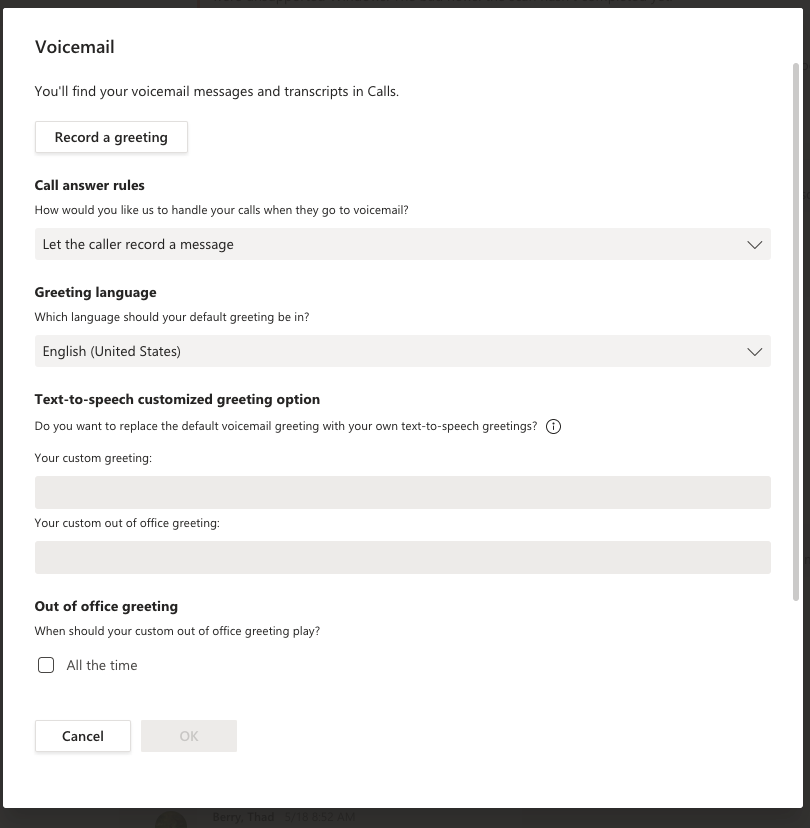
In your desktop Teams client, click on your initials in the upper right and select settings. Choose CALLS and select VOICEMAIL. Change the settings to set up a temporary outbound voice message and/or call forwarding. Voicemail will be delivered as an email to your Outlook Inbox.